Forums › English Language Forums › Technical › Technical Issues

Search

Broken Textures (Recurring Problem)

11 replies [Last post]
Mon, 01/06/2014 - 19:47
Apocalypsefish's picture
Apocalypsefish

I've been having this problem for like, the past year or so after like half an hour of playing where textures screw themselves over hardcore. No, re-installing does not help, as I have done it a few times. ._. The game will also close itself once the textures have broken on a larger scale. I don't believe this is just me, either, I have a friend who has this issue as well.

Screenshots include the different variations of what happens:

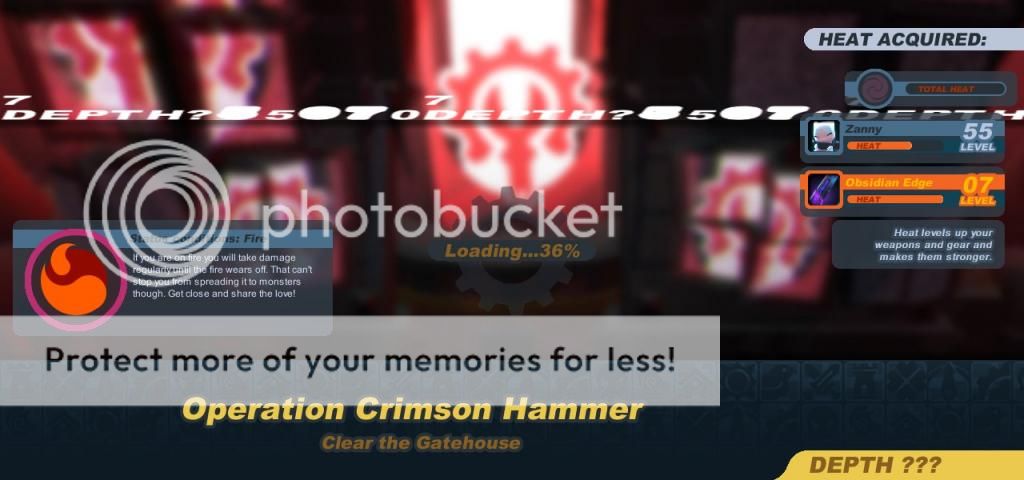
Sometimes this random jargon:
http://i1021.photobucket.com/albums/af340/apocalypsefish/99900_screensho...
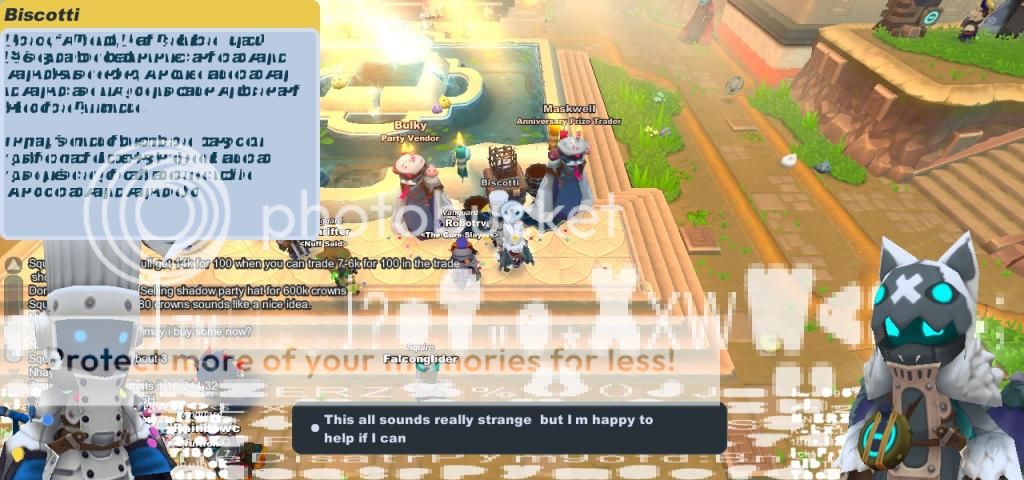
But wait, it gets worse. It's either this:
http://i1021.photobucket.com/albums/af340/apocalypsefish/99900_screensho...
Or this:
http://i1021.photobucket.com/albums/af340/apocalypsefish/99900_screensho...

Let me point out that that last image was from 2 SK Anniversary Birthday things ago, like, not this year's, the last year's one. That's how long this has been going on for me.

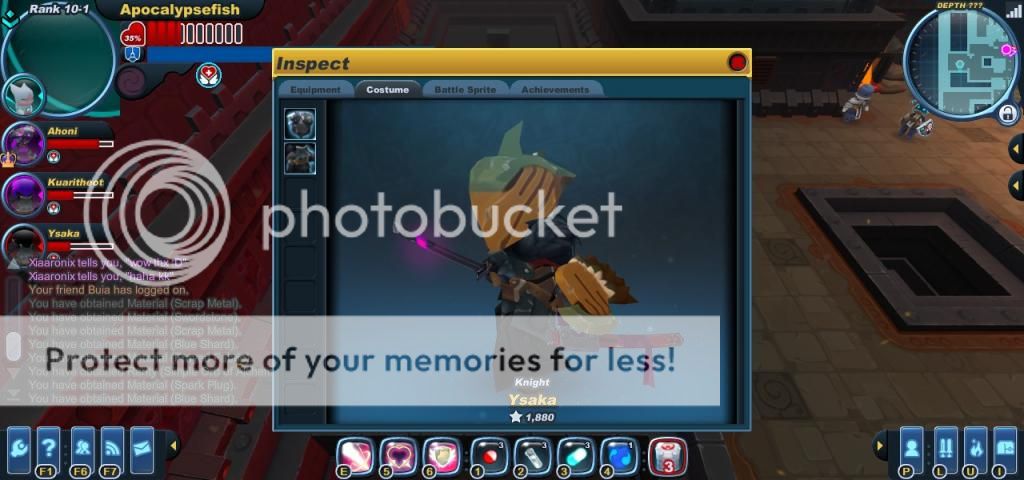
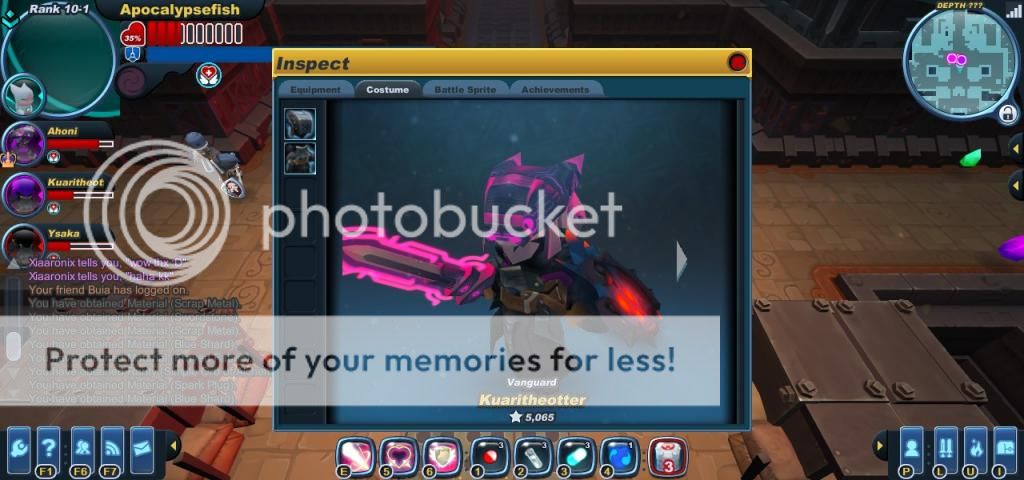
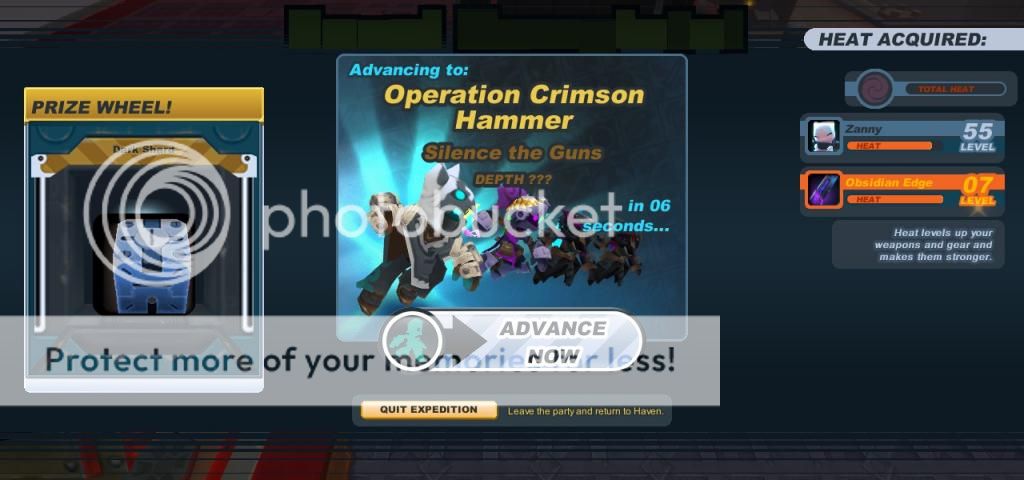
Then there's random texture swapping:
http://i1021.photobucket.com/albums/af340/apocalypsefish/99900_screensho...
(^Note it says "Dark Shard" and not "Lockbox")

EDIT: It also did this to my steam overlay the other day. This has never happened before. I had to print screen it because Steam's overlay wouldn't do anything. That is not edited. It literally put those blurs and lines on my steam overlay.
http://i1021.photobucket.com/albums/af340/apocalypsefish/dangit_zpsdab15...

And then there's times where the textures on characters and armour/helmets will be completely black. And it will happen just in the middle of a level, not after loading the area. Though it mainly happens near the Auction House. I know that "black" means that the stuff is loading sometimes, but all it does is crash my game.

My laptop can handle this game just fine, many heavier games at 60 FPS, so I don't think it's a problem with my card or anything. But I would like to point out as well that I'm not wired to my internet, so maybe that's a problem? If anyone can help me out with this, it would be GREATLY appreciated. I really love the game, and I don't want to have to stop because of this. ._.

Tue, 01/07/2014 - 09:11
#1
Momofuku's picture
Momofuku

after like half an hour of playing where textures screw themselves over hardcore.

This sounds like a resource issue -- are you running out of memory? System specs would be useful here, but if it works fine and then your graphics start getting messed up, you may not have enough memory available to load the textures the game needs.

Tue, 01/07/2014 - 11:16
#2
Apocalypsefish's picture
Apocalypsefish
Apologies, I should have

Apologies, I should have posted that to begin with.

Processor: Intel(R) Core(TM) i7-3610QM CPU @ 2.30GHz (8 CPUs), ~2.3GHz
Memory: 6144MB RAM
My graphics cards consist of GeForce GT 650m and an Intel HD Graphics 4000

The game runs off the GeForce, I believe. And I don't think it's a RAM problem, cause I did think of that in passing, but I think I've got enough to run both Steam and Skype while having SK up. At least, I don't have RAM issues with any other game. Let me know if there are any other specs needed, I'm bad with this stuff. >.>

Tue, 01/07/2014 - 11:31
#3
Momofuku's picture
Momofuku
No, that's fine--those specs

No, that's fine--those specs are more than enough to run the game without those texture issues. And those specs sound like you've got a Macbook Pro Retina, similar to the model I have.

Is there any way you can forcefully trigger this issue to occur? Or is everything fine until you've played for a while, and then the game starts breaking down?

Tue, 01/07/2014 - 11:38
#4
Apocalypsefish's picture
Apocalypsefish
It's actually an Alienware

It's actually an Alienware laptop. Yeah, I hate saying that. >.>
With that being said, there should be zero issues, because I keep this thing healthy.

Uh, not without playing for a while. It IS guaranteed to happen, though. Like I said, I can't play for more than half an hour without the textures starting to slowly mess up. It begins with the removal of icons (So it's just a blank box) from things like the market or the inventory. I can't really FORCE it to happen, so to speak, but playing makes it happen, so I really don't know what to say. But everything is fine and the game IS still playable until it closes itself.

I also get considerable lag problems, probably because I'm not hardwired to my internet, so I don't know if that speeds up the texture-screwing process or not.

Tue, 01/07/2014 - 13:54
#5
Momofuku's picture
Momofuku
If that's the case, can you

If that's the case, can you confirm which graphics card is kicking in while SK is running? NVIDIA Control Panel should allow you to force which graphics card to use.

EDIT: A tool such as CPU-Z can help identify which card is being used while SK is running.

Tue, 01/07/2014 - 14:19
#6
Apocalypsefish's picture
Apocalypsefish
Okay, uh, you're probably

Okay, uh, you're probably going to have to walk me through this, sorry. ._.

I have set my GeForce card to be used for everything in the Nvidia Control Panel, but when I open SK and open CPU-Z, checking the graphics tab always shows the Intel graphics card, but I can hit the drop down menu and select my GeForce one. I really don't know how to make it show which card is being used specifically. Is it using both?

Tue, 01/07/2014 - 14:29
#7
Momofuku's picture
Momofuku
Sorry, I don't have access to

Sorry, I don't have access to a Windows computer at the moment to test things out. However, there are plenty of ways to check this out! dxdiag should correctly display which graphics card is running on a particular display.

EDIT: i am an html failure

Tue, 01/07/2014 - 14:28
#8
Apocalypsefish's picture
Apocalypsefish
The link is currently not

The link is currently not clickable.

Thank you for your help so far, dude, I really appreciate it. I'll keep looking into this to see if forcing the card helps.

This'd be alot easier if SK had an actual .exe in the Steam Directory that I could set up specific launch directions for in the Nvidia Panel. If there is one, I can't find it.

Wed, 01/08/2014 - 16:24
#9
Neoretro's picture
Neoretro
.

This started occurring for me in conjunction with the User Interface update, which changed the graphics of the game itself. It also happened even more often on the Apocrea levels during Halloween. Since the problem seemed to show up when the game's graphics were changed, this is clearly Spiral Knights's problem, not ours, and it's yet another one that Three Rings refuses to acknowledge. I have heard no official feedback on this issue whatsoever, and it is one of the reasons I have recently quit playing. I honestly hope Three Rings reads this, because I want to like and enjoy their game, but their own mistakes are preventing me from doing so.

Tue, 01/14/2014 - 20:59
#10
Helios's picture
Helios
Game Master
Greetings,

Since you've listed both Intel and NVidia graphics adapters is your laptop NVidia Optimus enabled? You could be running into a profile problem where Optimus does not apply the correct performance settings to Spiral Knights. This can result in all sorts of anomalies, right up to crashing the game on startup. The best solution is to set up a performance profile so the NVidia card is always used for Spiral Knights, otherwise you run the risk of the system trying to swap adapters mid game. Please try these steps:

  1. Open the NVIDIA Control Panel (usually found in the Start Menu)
  2. In the "Select a Task..." menu open 3D Settings and click on Manage 3D Settings
  3. Click to the Program Settings tab.
  4. Click the Add button.
  5. Choose the High-performance NVIDIA Processor in the select preferred graphics processor dropbox.
  6. You're done! Feel free to close the NVIDIA Control Panel and Play Spiral Knights normally.
Wed, 01/15/2014 - 23:04
#11
Apocalypsefish's picture
Apocalypsefish
Thank you very much. I have

Thank you very much. I have applied that and will try it out once I get around to playing tomorrow.

Powered by Drupal, an open source content management system