Forums › English Language Forums › General › General Discussion

Search

Anti-aliasing

19 replies [Last post]
Sat, 06/11/2011 - 14:18
Quasirandom's picture
Quasirandom

The video options in-game are pretty sparse, and don't even have an anti-aliasing option. Or at least it doesn't have one that I could find. By default, the game looks pretty jagged, so it could obviously benefit from anti-aliasing.

So I went into Catalyst Control Center and turned off the "use application settings" option, and tried running the game on 4x SSAA. That's a brute-force approach to anti-aliasing, and should theoretically be able to anti-alias basically any 3D game, even if the game engine doesn't have any native support for anti-aliasing. It worked, as I expected, and made the game look quite a bit nicer. I took screenshots and zoomed in, to make sure it wasn't just my imagination. It was pretty obvious from the screenshots that the anti-aliasing worked.

I also decided to try 4x MSAA through Catalyst Control Center. I didn't expect this to work, as MSAA needs information about the geometry of the picture in order to know where to apply it. But it did anti-alias the game somehow anyway. If the game engine supports MSAA, then why isn't there an option in-game to enable it?

I also tried MLAA, which I expected to work, but it didn't, or at least not the way I expected. MLAA is a post-processing effect, so it can be applied to any image. You could apply MLAA to this forum, for example, if AMD decided to make it possible through their drivers. But as long as "use application settings" was on, the game wouldn't apply MLAA. And if "use application settings" was off, then MLAA did work, but had to be applied on top of some other form of anti-aliasing, which rather defeats the purpose. In this case, it did work, but the jagged edges were already gone from some other sort of anti-aliasing, so MLAA didn't offer much benefit, but only the blurry drawbacks.

I'll probably just use 4x SSAA, as SSAA is basically the highest image quality of anti-aliasing theoretically possible. The drawback is a huge performance hit, but that's not a factor in a game as light on video cards as this one. Most of the time, Catalyst Control Center reported GPU activity of 0%, and the highest I could get it in-game was 14%. 0% probably just means "too low to bother reporting" if it's below some threshold. It also only managed to push the GPU about 4 C above the idle temperatures and without budging the fan speed, and much of that 4 C was probably due to using the load clock speeds rather than the idle clock speeds, even apart from what the game actually did.

Sat, 06/11/2011 - 14:24
#1
Volebamus's picture
Volebamus
Wait, if you were able to

Wait, if you were able to disable to application's default settings to make the graphics better, you could do the same thing to make the game run faster right?

Sat, 06/11/2011 - 15:10
#2
Quasirandom's picture
Quasirandom
Probably not. What SSAA does

Probably not.

What SSAA does is roughly to say, if the monitor is 1280x1024, then we'll tell the game that it needs to render at a resolution of 2560x2048. The game engine does its work at the much higher resolution, and then once the image is done, the drivers break the pixels into 2x2 boxes, and take the average color of each set of four pixels to determine the color of a pixel that it will actually display on the monitor. That's a way to do extra work to create higher image quality, but doesn't work in reverse.

SSAA brings a penalty to performance, as it has to draw four times as many pixels for a single frame. That's why MSAA is usually used instead. MSAA finds the boundaries between polygons and says, there might be jagged edges there, so for pixels on a boundary, we'll take an average of four pixels that are off slightly and use that to draw the one pixel on the screen. For pixels in the interior of a polygon, the game just renders one pixel. The idea is to do the extra work where it makes the image look better, and not where it doesn't matter. This often gets most of the benefit of SSAA, with only a small fraction of the performance hit. It's not perfect, though, as it can't smooth jagged textures, and doesn't help much for transparent objects.

The other problem with MSAA is that, in order for it to work, the game has to know where the boundaries between polygons are. Drivers can't do this on their own, but need help from the game engine. Normally a game engine that supports MSAA will also have video options to turn it on, which is why I'm surprised that it isn't there.

MLAA is a post-processing effect, and not actually a form of anti-aliasing at all. What MLAA does is to first have the game engine render the image as normal. Then before it sends the frame to the monitor, it searches for places where adjacent pixels are very different colors. It says, maybe that's a jagged edge, and blurs the colors together to smooth it. This anti-aliases everything, so it doen't miss some parts like MSAA does. MLAA also has a performance hit roughly comparable to 8x MSAA, and far shy of 4x SSAA. The problem is that it can't tell the difference between 3D rendered stuff and a 2D HUD that is overlaid on top. So it will blur text, and that looks bad.

To return to your question, note that all of these are ways to do extra work in rendering a game, for the sake of improving image quality. Basically, you do all of the work that would normally be done, and then some extra work on top of that. That means lower frame rates. Going the other way isn't practical, as you have to do all of the work to render a frame normally just to have an image to display.

Another notable thing about anti-aliasing is that it means a lot of extra work for the video card, but not for other hardware. I just picked up this game last night, and haven't checked to see how hard it pushes a processor, but that isn't relevant for my anti-aliasing testing. I'd expect modern integrated graphics to have plenty of performance for the video card side, though. I could test it on my netbook (Zacate E-350, not Atom) sometime and see.

Sat, 06/11/2011 - 16:46
#3
Dogrock's picture
Dogrock
Those settings are almost

Those settings are almost entirely dedicated to DirectX games, even for MLAA. AA in OpenGL is largely dependent on the game's support, and there really isn't much that will work. The only setting in CCC that will apply to Spiral Knights is the OpenGL Triple Buffering and sometimes the Catalyst A.I. Slider has odd effects on older cards.

Sat, 06/11/2011 - 17:30
#4
Quasirandom's picture
Quasirandom
You're claiming that the

You're claiming that the various anti-aliasing types won't work. I'm claiming that I tried them and they do work. I have screenshots to prove it. I don't see a way to attach them here, but if there is, I can post them for you to see.

MLAA has nothing to do with DirectX. It's a post-processing effect that waits until the entire frame has already been rendered, and then it doesn't care how it was rendered. The algorithm is exactly the same, whether the screen was rendered with DirectX, OpenGL, or anything else. Indeed, not being linked to any particular API is kind of the point.

SSAA likewise isn't specific to DirectX. If a game can render at very high monitor resolutions, then it will work with SSAA. That's all that SSAA needs in order to work. And that's the real reason why AMD reintroduced SSAA with the Evergreen series: to allow anti-aliasing in games that don't support it natively.

The surprise is that MSAA also works, as that does need very detailed information about what the game engine is doing internally in order to render. Maybe Catalyst Control Center was doing something weird, like secretly applying SSAA when it said it was using MSAA. But there's definitely some sort of anti-aliasing being applied.

Sat, 06/11/2011 - 17:52
#5
Loki
Legacy Username
@Quizzical

I'm interested in seeing the before-and-afters. To post images you have to upload it to an image hosting site first, then just copy the direct link to it here.

Sat, 06/11/2011 - 19:08
#6
gell
Legacy Username
I'm not the OP, but I did

I'm not the OP, but I did these just now. Just open both in two tabs and switch back and forth. I cropped to make sure everything lined up.

http://girlshavecooties.com/stuff/sk_aa2_off.png
http://girlshavecooties.com/stuff/sk_aa2_16x.png

careful, 1.3MB each:
http://girlshavecooties.com/stuff/sk_aa_off.png
http://girlshavecooties.com/stuff/sk_aa_16x.png

that's 16x SSAA. It seems to have no performance hit on my Geforce GTX 260. Amazing.

Thanks OP. I always hated the aliasing, but I thought I couldn't force it in java/opengl (had tried with minecraft and failed). This works great!

Sat, 06/11/2011 - 19:09
#7
Quasirandom's picture
Quasirandom
No

No anti-aliasing

http://img.photobucket.com/albums/v381/Quaternion/noaa.png

4x MSAA:

http://img.photobucket.com/albums/v381/Quaternion/msaa.png

4x SSAA:

http://img.photobucket.com/albums/v381/Quaternion/ssaa.png

They're all the same character with the same view, and standing in nearly the same spot.

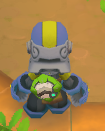
I think the anti-aliasing is clearest on the sides of the helmet, as that's a nearly solid blue object against a nearly solid tan background. In the no anti-aliasing picture, there are blue pixels and tan pixels, but no in-between pixels. This is very clear if you download and save the picture, open it in Paint, and zoom in to 800%. In the other two, there are in-between pixels all along the boundary.

For what it's worth, my relevant hardware is a Radeon HD 5850 with Catalyst 11.5.

Sat, 06/11/2011 - 19:13
#8
gell
Legacy Username
I hate to tell people they

I hate to tell people they have to zoom in to see a difference. The real difference is in motion of course. The stairstepping effect of an aliased image is hideous, so having some AA on there really makes it smoooooth.

Sat, 06/11/2011 - 19:21
#9
Quasirandom's picture
Quasirandom
For image quality purposes,

For image quality purposes, anti-aliasing looks terrible when you zoom in. So yes, you're right: the reason to use anti-aliasing is because the game looks better when you're moving around.

But it's hard to provide proof of that on the forums. The clearest proof that there is anti-aliasing is the "in-between" pixels of a screenshot when it's zoomed in.

The reason there isn't a performance hit is that it only increases the load on the video card, and not any other hardware. This game barely touches the video card at all, so if SSAA increases your video card utilization from 5% to 10%, then that doesn't touch your frame rate.

I'm going to try running the game on my netbook to see how it does. I'm pretty sure it has plenty of graphical power from the Radeon HD 6310 integrated graphics. I'm not sure how two Bobcat cores at 1.6 GHz will fare, though.

Sat, 06/11/2011 - 19:45
#10
gell
Legacy Username
Oh I know how AA works. I was

Oh I know how AA works. I was "amazed" because that video card hit does make a difference in games that actually use the vid card a lot. So I find it refreshing that I can run 16x SSAA without affecting my framerate, not a common luxury in other games I play.

For image comparison purposes, that's why I made sure my screenshots were cropped in the exact same position, so you could flip between them and see the difference in stills.

Sat, 06/11/2011 - 23:12
#11
Dogrock's picture
Dogrock
Huh, that's really

Huh, that's really interesting cause I could never get a darned result out of my 4870. Though it's AA range is more limited, it should have produced something. Then again, with the hit-and-miss nature I've experienced with reliable OpenGL performance that could be a larger factor.

After a hardware upgrade (RIP poor little 4870) I never bothered after seeing no results. I will need to take another look next time I'm at home with the desktop in arm's reach. I'm curious, is this windowed or fullscreen?

Sat, 06/11/2011 - 19:52
#12
Quasirandom's picture
Quasirandom
Ah, I see what you did. I

Ah, I see what you did. I didn't think of doing that myself. Good idea, though.

I tried running Spiral Knights on my netbook, and at maxed in-game settings, it was choppier than on my desktop, but definitely playable. I'm not sure if it's the processor or the graphics that is the limiting factor, but it could be either one. If a game is playable at maxed settings on netbook integrated graphics, then anything remotely resembling a modern gaming card should basically laugh at the game.

The game did take a long, long time to load on my netbook, though. With a Crucial RealSSD C300, that's not a storage bottleneck, so it's probably the processor.

On my desktop with a Core i7 860, CPU-Z reported that it was frequently using turbo boost to nudge the multiplier to 25, and the multiplier won't go over 22 unless at least two cores are power-gated off. I'm not sure if the program is single-threaded, or simply puts the bulk of the work in a single thread, but it certainly doesn't scale to more than two cores.

Sat, 06/11/2011 - 19:57
#13
Quasirandom's picture
Quasirandom
d0gr0ck, both SSAA and MLAA

d0gr0ck, both SSAA and MLAA are only supported on Radeon HD 5000 series or later cards. SSAA is one of the new features that AMD introduced with Evergreen, and then Nvidia responded by implementing it in drivers for some existing cards, since Fermi was so ridiculously late. MLAA was introduced with Northern Islands, and then later ported back to Evergreen, since it's really just a software feature. Nvidia doesn't have anything analogous.

Anti-aliasing will tend to bring a bigger performance hit on modern Nvidia cards than AMD cards, though. AMD's recent architectures are a lot more shader-heavy than Nvidia's, and that's what's heavily needed for anti-aliasing and high monitor resolutions. The problem for Nvidia when they went with a more geometry-heavy Fermi architecture is that it means that the situations where they have an architecture advantage over AMD tend to be situations where it doesn't matter, because both sides perform well. Apparently Fermi was great for professional graphics, though.

Sat, 06/11/2011 - 23:29
#14
Dogrock's picture
Dogrock
I'm aware that the new AA

I'm aware that the new AA modes are dedicated to the more recent hardware generations. I guess I've just been rather disappointed by the visual results (across multiple games) on older hardware and never bothered to check up on the new advancements even though I have newer hardware on hand. Still, though, it will be another day before I'm back off the road again and home to give my HD 6950 a nice big poke.

As per the program multi-threading; technically it is, but it's primarily one large thread with some much smaller helpers. During a battle you may notice that you can get about three cores to an even load (turbo ignored), but afterward you'll notice load likes to stick to whichever core has the main thread.

If you've got over 4GB of physical memory the game will allocate itself quite a lot and really help loading times after a few rounds. It's much more noticeable on a traditional hard drive.

There's also non-hardware bottlenecks in some places as performance on top tier hardware isn't always what you'd expect and load is never 100%.

Sun, 06/12/2011 - 04:36
#15
Dirt
Legacy Username
I went ahead and did some

I went ahead and did some fiddling of my own with my GTX 470. Here's what I got.

Default (after doing this test I can honestly say I'm never going back to this lol):
http://www.fileden.com/files/2008/6/6/1947939/spiral_2011-06-12_07-07-05...

NVIDIA Control Panel's default Max "Quality" option:
http://www.fileden.com/files/2008/6/6/1947939/spiral_2011-06-12_07-09-54...

And for poops and giggles, 16x Anisotropic filtering, 32x AA, 8x AA transparency, and high quality texture filtering:
http://www.fileden.com/files/2008/6/6/1947939/spiral_2011-06-12_07-15-36...

I'm not sure if all of that makes a difference, but the game looks better than even the default NVIDIA override.

EDIT: On a side note, you can see EVGA's Precision utility showing my framerate in the top-left corner. It's about the same in all three examples. Definitely going to keep it on as high as I can.

@Dogrock
Didn't we have that discussion a while ago in the Bazaar?

Sun, 06/12/2011 - 10:44
#16
gell
Legacy Username
Hmm, I like the look of your

Hmm, I like the look of your leaves. I think that's the 8xAA transparency. I know my GTX 260 can do that... It's a nice newer way to antialias texture edges since they aren't polygons. The other stuff doesn't seem to affect any noticeable quality to me (16x AF, high quality texture filtering).

Edit: Had to get a driver hack since it turns out the 200 series doesn't have all the options it should. I set it to 16xS which is a combo of MSAA and SS and that finally made everything nicer. :D

Sun, 06/12/2011 - 15:14
#17
Pupu
Legacy Username
Uh

Am I the only one who actually likes jaggies?

Sun, 06/12/2011 - 16:07
#18
Loki
Legacy Username
@Pupu

I don't mind them when they're not really that noticeable, like in Spiral Knights.

In fact, after reading this thread I began to fiddle around with some settings, and my Spiral Knights runs an average of about 20~30 FPS faster than before, though you see a tiny bit of sharp edges on the characters, but not very noticeable.

I turned off anti-aliasing for Spiral, put some settings into High Performance for it, and voila, I now play as smooth as the most epic silk ever known to man. Even no lag in Snarbolax levels, Poison levels, etc.

Thu, 11/17/2011 - 11:00
#19
Eltia's picture
Eltia
Sorry for raising this old thread

Since the last patch (Nov. 16th, 2011), any one succeeded in forcing anti-aliasing with nVidia's driver or nVidia Inspector? Thanks!

Powered by Drupal, an open source content management system